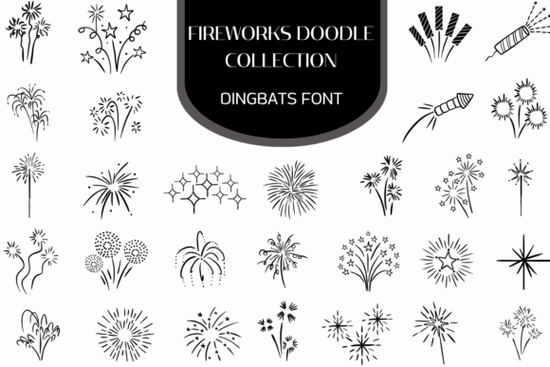
If you're looking for a quick, expressive way to add festive energy to your designs without layering individual SVGs or hunting for clipart the Firework Doodle Collection Font is a practical solution. It’s not a traditional font with letters and numbers. Instead, it’s a dingbats font: a single downloadable file where each keyboard key triggers a hand-drawn firework doodle like starbursts, sparklers, curling trails, or clustered bursts. You type, and instantly get clean, scalable vector art. That means crisp results whether you’re printing birthday cards at home or scaling graphics for a large festival banner.
How does this actually work in design software?
You install it like any other font (OTF or TTF), then select it in Illustrator, InDesign, Canva (with custom font upload), or even Cricut Design Space. Press “A”, and you’ll see a shimmering constellation. Press “Z”, and up pops a bottle rocket mid-launch. Because it’s vector-based, resizing won’t blur or pixelate the lines ideal for both tiny social media icons and oversized wall decals. No need to manage dozens of separate files or worry about licensing mismatched clipart. Everything lives in one consistent, hand-crafted style.
Who uses this and why?
Print-on-demand sellers appreciate how fast it is to build themed collections: think “Fourth of July” mugs with subtle trail doodles along the handle, or “New Year’s Eve” tote bags with scattered starbursts as background texture. A single font file replaces hours of manual icon placement and keeps visual rhythm tight.
Crafters and small business owners use it for physical products too: heat-transfer vinyl projects, scrapbook kits, or hand-lettered invitations where a playful, organic feel matters more than perfect symmetry. Since the doodles are line-art based not filled shapes they pair well with watercolor backdrops or textured paper scans.
Designers building digital assets often layer these doodles behind headlines or use them as bullet points in email newsletters. One user told us they dropped the “streaming trail” glyph into a client’s carnival landing page as a subtle animated hover effect (using CSS transforms on the text element). Simple, but memorable.
What’s included and what makes it different from other firework fonts?
The collection includes over 100 unique glyphs, all drawn by hand and converted to smooth vectors. You’ll find:
- Explosive starburst rings (tight and loose variations)
- Constellation-style spark clusters
- Bottle rockets with angled fins and smoke trails
- Classic handheld sparklers, some with glowing tips
- Curling, looping firework paths great for borders or dividers
- Dense celebratory bursts (for focal points or backgrounds)
Unlike many “firework fonts” that rely on bold fills or cartoonish outlines, this set leans into delicate linework so it works just as well on minimalist stationery as it does on vibrant party posters. It also avoids overused tropes (no smiling fireworks or anthropomorphic stars), keeping things fresh for repeat use.
Where does it fit in your font library?
It sits comfortably alongside other doodle-sticker fonts and dingbats fonts, especially if you already use hand-drawn elements for branding consistency. Think of it as the festive counterpart to a botanical line-art font or a retro badge set it’s stylistically cohesive, not just thematically matched. And if you’ve used the Firework Doodle Collection Font before, this version includes refined spacing and expanded glyph coverage for better typographic control.
For reference, similar hand-drawn aesthetic fonts include Sparkle Doodle Font and Celebration Line Art Font but none focus exclusively on fireworks with this level of motion and variety.
One practical tip: try pairing it with a clean sans-serif (like Montserrat or Poppins) for contrast. The fireworks add personality; the neutral typeface keeps readability intact especially important for event dates, times, or small-print details.
Before you download: Check your software’s font handling some web-based tools require you to convert text to outlines before exporting. Also, remember this is a dingbats font, so it won’t replace standard letters unless you intentionally map them. That’s by design: flexibility over automation.
Get Started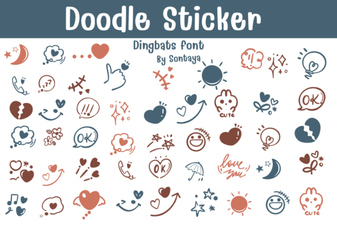 Design Your Projects with Creative Doodle Fonts
 Robobo: a Modern Font for Digital Projects
 Designing Fortunes: a Font for Blade Themed Projects
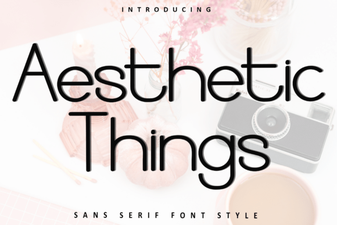 Fonts That Make Your Designs More Beautiful
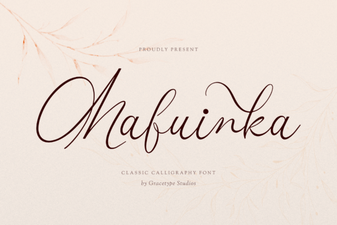 Mafuinka Font: Creative Typography for Your Projects
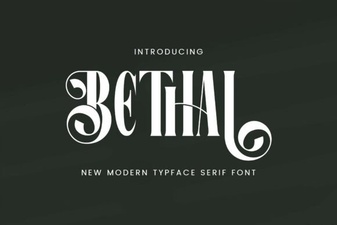 Behal Font: a Minimalist and Legible Typeface