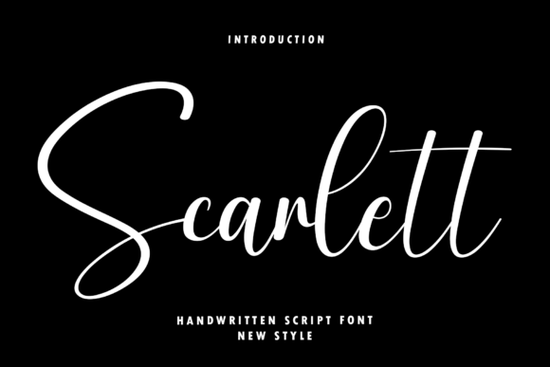
If you're looking for a handwritten script font that feels both fresh and timeless something that works just as well on a boutique wedding invite as it does on a minimalist skincare label you’ll likely find Scarlett Font fits naturally into your workflow. It’s not overly ornate, but it’s never plain either: its tall ascenders and soft, looping connections give words a gentle rhythm, like handwriting you’d want to pause and admire. Designers and small business owners tell us they reach for Scarlett when they need elegance without formality especially for luxury branding, signature-style logos, or editorial layouts where tone matters as much as typography.
What makes Scarlett different from other script fonts?
Most script fonts fall into one of two camps: either tightly spaced and formal (think calligraphy class), or loose and playful (like chalkboard lettering). Scarlett sits comfortably in the middle. Its letterforms have subtle variation not so much that it feels inconsistent, but enough to keep it human and approachable. The lowercase “g,” “y,” and “f” extend with graceful curves, while capitals retain a confident, upright stance. That balance helps it scale well: it reads cleanly at 12 pt in body text (with proper spacing), and still holds presence at 72 pt on a banner or product label.
You’ll also notice it includes standard OpenType features like ligatures and alternate characters nothing overwhelming, but enough to add quiet polish. For example, typing “to” or “the” triggers a smoother connection between letters, avoiding awkward collisions common in simpler scripts. And unlike some handwritten fonts that rely heavily on swashes (which can clutter layouts), Scarlett keeps those optional and tastefully restrained.
Where does Scarlett work best and where might it not?
It shines in contexts where warmth and intention matter:
- Wedding stationery: Save-the-dates, menus, and monogrammed napkins especially when paired with a clean sans-serif for contrast.
- Luxury product packaging: Think candle labels, organic tea boxes, or artisanal soap tags where “handmade” is part of the story.
- Editorial design: Feature headlines in magazines or digital newsletters focused on lifestyle, wellness, or slow living.
- Small business branding: A café logo, a florist’s business card, or a boutique’s Instagram quote graphics.
It’s less ideal for long paragraphs of body copy, legal disclaimers, or anything requiring high legibility at small sizes or low resolution. If your project needs maximum readability above all else or leans heavily into vintage, rustic, or bold display energy you might consider alternatives like Grace Brilliant for a bolder script, or Curlicue for more decorative flair.
How to pair Scarlett thoughtfully
Pairing is where Scarlett really comes alive. Try it with a neutral, slightly warm sans-serif like Montserrat Light or Lato Regular both free on Google Fonts to ground the elegance without competing. Avoid pairing it with other script fonts unless you’re intentionally layering textures (e.g., Scarlett for a name, Room for Tiramisu for a short tagline). For print-on-demand sellers, test how it renders on mockups before finalizing: its thin strokes hold up well on matte paper but may soften slightly on textured cotton blends.
One practical tip: use tracking (letter spacing) sparingly. Scarlett’s natural flow benefits from slightly tighter-than-default spacing in headlines around -10 to -20 units in most design apps but avoid tightening too much in longer lines. And if you’re using it for web, make sure your CSS loads it with `font-display: swap` to keep pages readable while the font loads.
Real-world examples from Creative Fabrica users
We’ve seen crafters use Scarlett to personalize vinyl decals for baby nurseries, designers build entire brand kits around it for female-led wellness studios, and POD sellers feature it on best-selling mugs and tote bags. One Etsy seller told us her Scarlett-based “You Are Enough” print outsold similar designs by 3x not because the message was new, but because the font made it feel personal, not generic.
For reference, you can see how Scarlett Font compares visually alongside other popular options like Stowy Font (more relaxed, casual script) or Curlicue Font (more decorative, with prominent flourishes).
Before you download: Check that your software supports OpenType features (most modern versions of Adobe apps, Affinity, and Canva Pro do), and preview the full character set including punctuation and numbers to confirm it meets your project’s needs. If you plan to use it commercially (e.g., on products you sell), double-check the license terms it’s cleared for unlimited commercial use on Creative Fabrica, including POD.
Learn More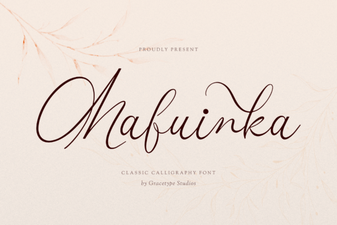 Mafuinka Font: Creative Typography for Your Projects
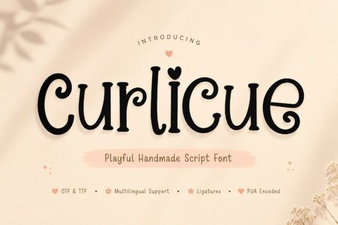 Curlicue Font Ideas for Elegant & Creative Projects
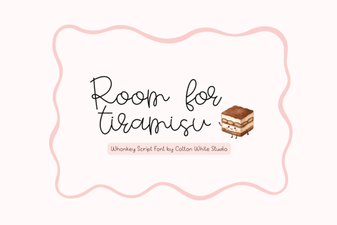 The Tiramisu Font: a Sweet Touch for Web Projects
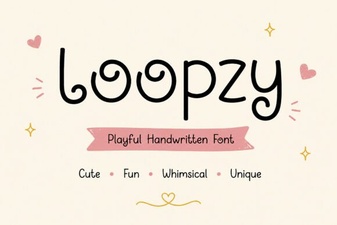 Loopzy Font: Designs with Creative Curves
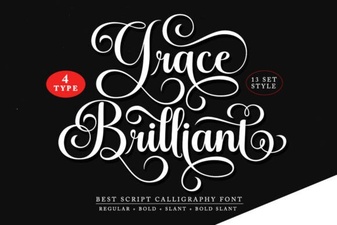 Grace Brilliant Font: Modern Design and Creative Projects
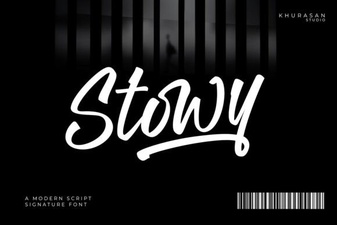 Stowy Font: Creative Projects & Design Ideas