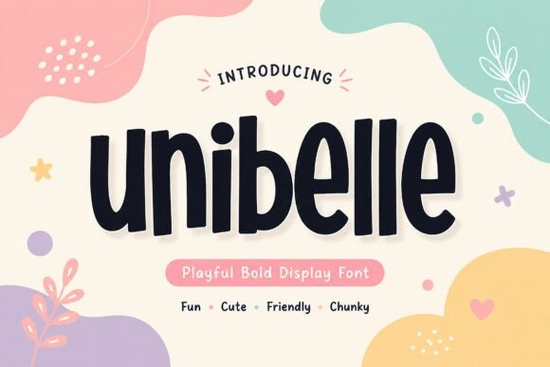
If you're looking for a bold, friendly display font that feels handmade and full of warmth especially for kids’ branding, playful packaging, or cheerful social media graphics Unibelle Font is worth your attention. It’s not overly technical or serious; instead, it’s designed to feel approachable, with chunky rounded letters and subtle irregularities that give it a gentle, handcrafted charm. Think of it as the kind of typeface you’d choose for a baby clothing label, a sticker pack for toddlers, or a candy brand that wants to smile at customers before they even read the words.
What makes Unibelle different from other playful fonts?
Many display fonts lean either too cartoony or too polished but Unibelle lands comfortably in the middle. Its letterforms are bold enough to hold up on product packaging or large-format prints, yet soft-edged and slightly uneven in a way that feels intentional, not sloppy. Unlike ultra-thin script fonts or rigid geometric sans-serifs, Unibelle has personality without sacrificing readability. It works well at medium to large sizes (16pt and up), especially when paired with a clean, neutral secondary font for body text.
You’ll notice small details that add character: the gently flared terminals on letters like “a” and “t”, the relaxed curves on “o” and “e”, and the slight variation in stroke weight that mimics ink pressed lightly onto paper. These aren’t flaws they’re part of what gives Unibelle its warm, inviting tone.
Where does Unibelle work best?
This font shines in contexts where friendliness and clarity matter more than formality. Here are a few real-world uses:
- Kids’ product labels baby skincare, organic snacks, wooden toy packaging
- Social media visuals Instagram story banners, Pinterest quote graphics, TikTok thumbnails
- Print-on-demand items onesies, tote bags, enamel pins, greeting cards
- Small business branding local bakeries with whimsical names, indie craft studios, children’s book illustrators
- Stickers and decals especially when printed on matte vinyl or kraft paper
It’s less ideal for long paragraphs or fine print this is a display font first and foremost. But for headlines, logos, and short phrases? It delivers consistent charm.
How does it compare to similar fonts on Creative Fabrica?
If you’ve tried Robobo Font, you’ll recognize its bouncy energy but Unibelle feels softer and more grounded. Amazing Newbie Font shares some rounded playfulness, but leans more toward retro signage; Unibelle reads as contemporary and gentle. For something even chunkier and more exaggerated, Chonkster Font offers bigger contrast and sharper corners great for loud statements, while Unibelle whispers joy instead of shouting it. And if you’re exploring seasonal or themed fonts, Spookify Font brings Halloween flair, whereas Unibelle stays cheerful year-round.
For reference, you can also check out Unibelle Font directly on Creative Fabrica to preview glyphs, see licensing options, and download the full set including uppercase, lowercase, numerals, and basic punctuation.
Practical tips before you use it
Because Unibelle has a strong visual presence, pairing matters. Try it with a simple sans-serif like Montserrat or Poppins for contrast avoid other rounded or highly decorative fonts nearby, which can compete for attention. When using it for logos, test how it scales down: it holds up well on app icons or favicons at 64×64px, but may lose nuance below that.
Also keep licensing in mind. The standard license covers personal and commercial use including POD platforms like Redbubble or Teespring but always double-check the specific terms included with your download. If you plan to use it in a physical product sold in bulk (like custom cereal boxes), verify whether extended licensing applies.
Finally, don’t overthink color. Unibelle looks great in soft pastels (mint, butter yellow, blush pink) but also stands out boldly in navy, charcoal, or deep forest green. Avoid very light grays or low-contrast combinations its charm comes through best when the letters feel present and legible.
Before downloading or designing with Unibelle:
- Preview all available weights and styles (some versions include alternates or swashes)
- Test it in your actual design software not just the web preview to see how spacing and kerning behave
- Check file formats included (.OTF, .TTF, or both) and confirm compatibility with your tools
- Save a mockup of your intended use (e.g., a sticker layout or t-shirt front) to gauge impact at real size
- Compare it side-by-side with Unibelle Font and at least one alternative from your list sometimes seeing them together reveals the right fit faster than reading descriptions
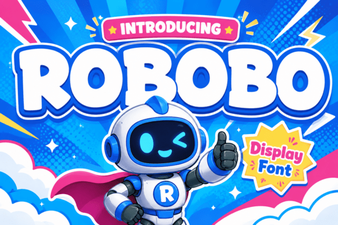 Robobo: a Modern Font for Digital Projects
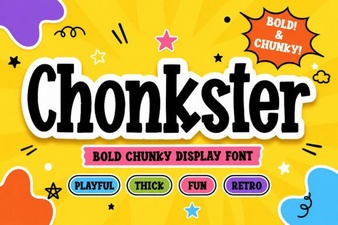 Chonkster Fonts: Bold Designs for Creative Projects
 Candyhorn: a Creative Typographic Design Tool
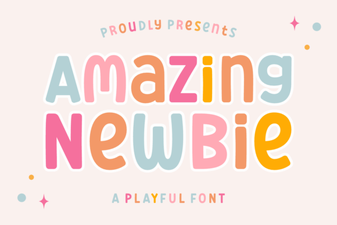 Fresh Fonts for Beginners: Creative Start
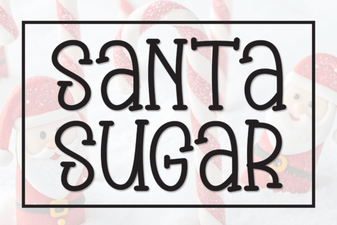 Santa Sugar Font: Sweet & Playful Design Projects
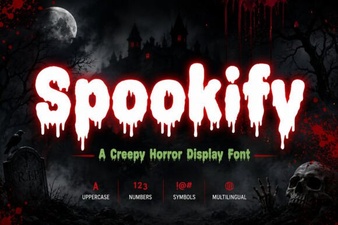 Spookify Font: Design Ideas and Creative Uses